Description
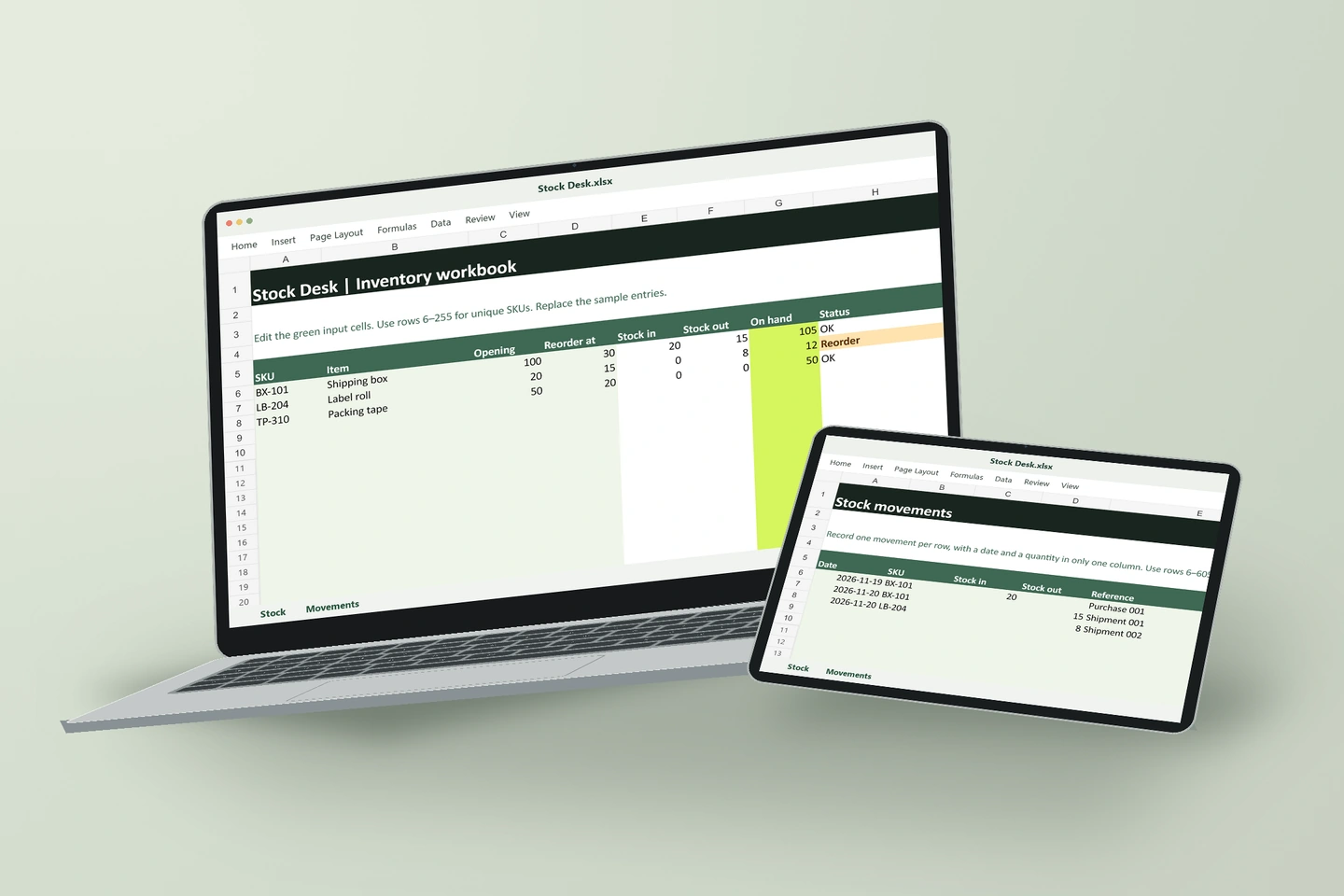
Stock Desk is an Excel inventory workbook for shops and stockrooms that keep stock in one location. It keeps a list of items on the Stock worksheet and a dated log of receipts and shipments on Movements.
How to track stock in and stock out
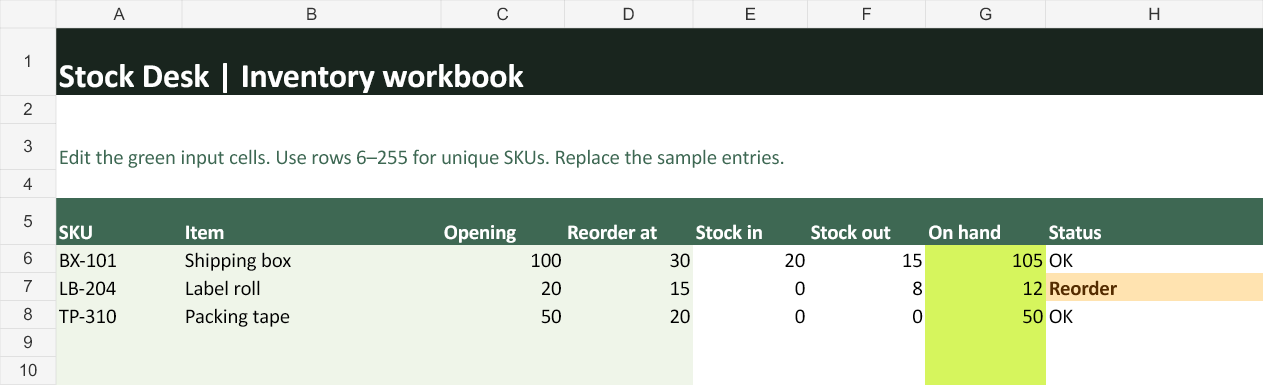
- On Stock, enter each SKU, its opening quantity and the quantity at which you want to reorder.
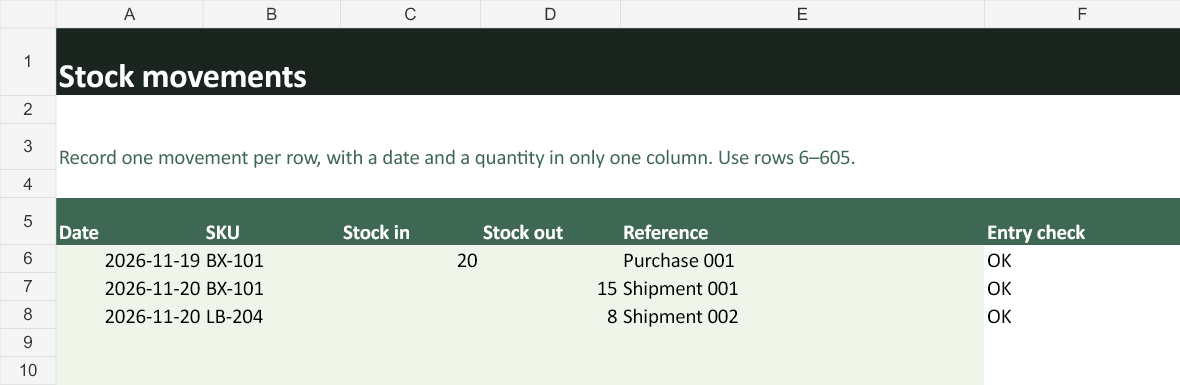
- On Movements, add one row per receipt or shipment. Enter its date, SKU and quantity. Add the purchase order or shipment reference if you need it later.
- Check On hand for the new balance and look for Reorder in the status column. Fix rows marked Check SKU or Check quantity on the movement log before relying on the totals.
A worked example from the workbook
Shipping box BX-101 starts with 100 units. Purchase 001 brings in 20 and Shipment 001 takes out 15, leaving 105. Label roll LB-204 has 12 units left against a reorder point of 15, so Excel marks it Reorder.
Sample and full workbook
- Sample. Up to 10 products and 30 movement rows. Replace the example entries with a few of your own.
- Full edition. Up to 250 products and 600 movement rows. Includes the Stock and Movements worksheets in one file.
Both are macro-free .xlsx files designed for Microsoft Excel. This workbook tracks units for one stock location.